Shopify Data Layer Enabled and Google Tag Manager Setup
This project involved implementing an advanced Shopify eCommerce data layerbased on the GA4 schema and configuring Google Tag Manager for accurate tracking
PROJECT OVERVIEW
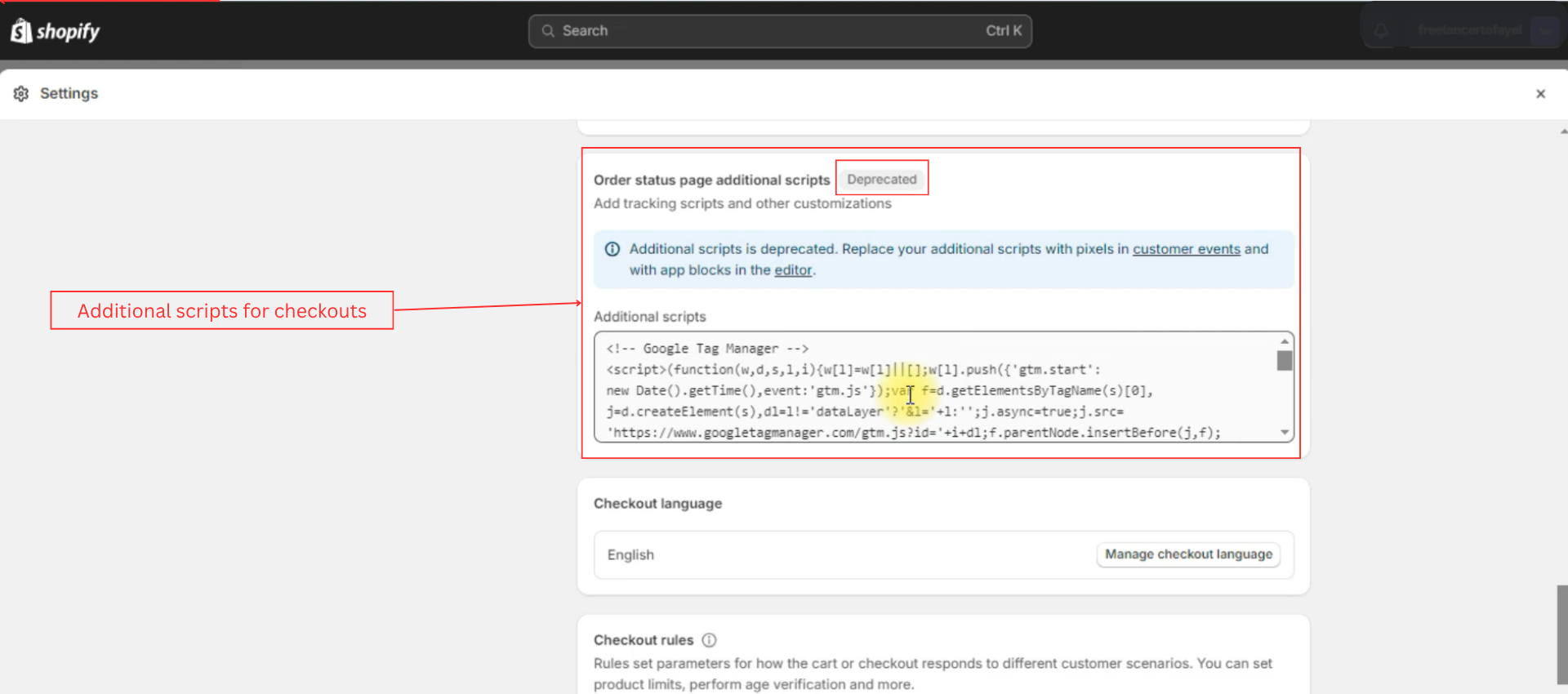
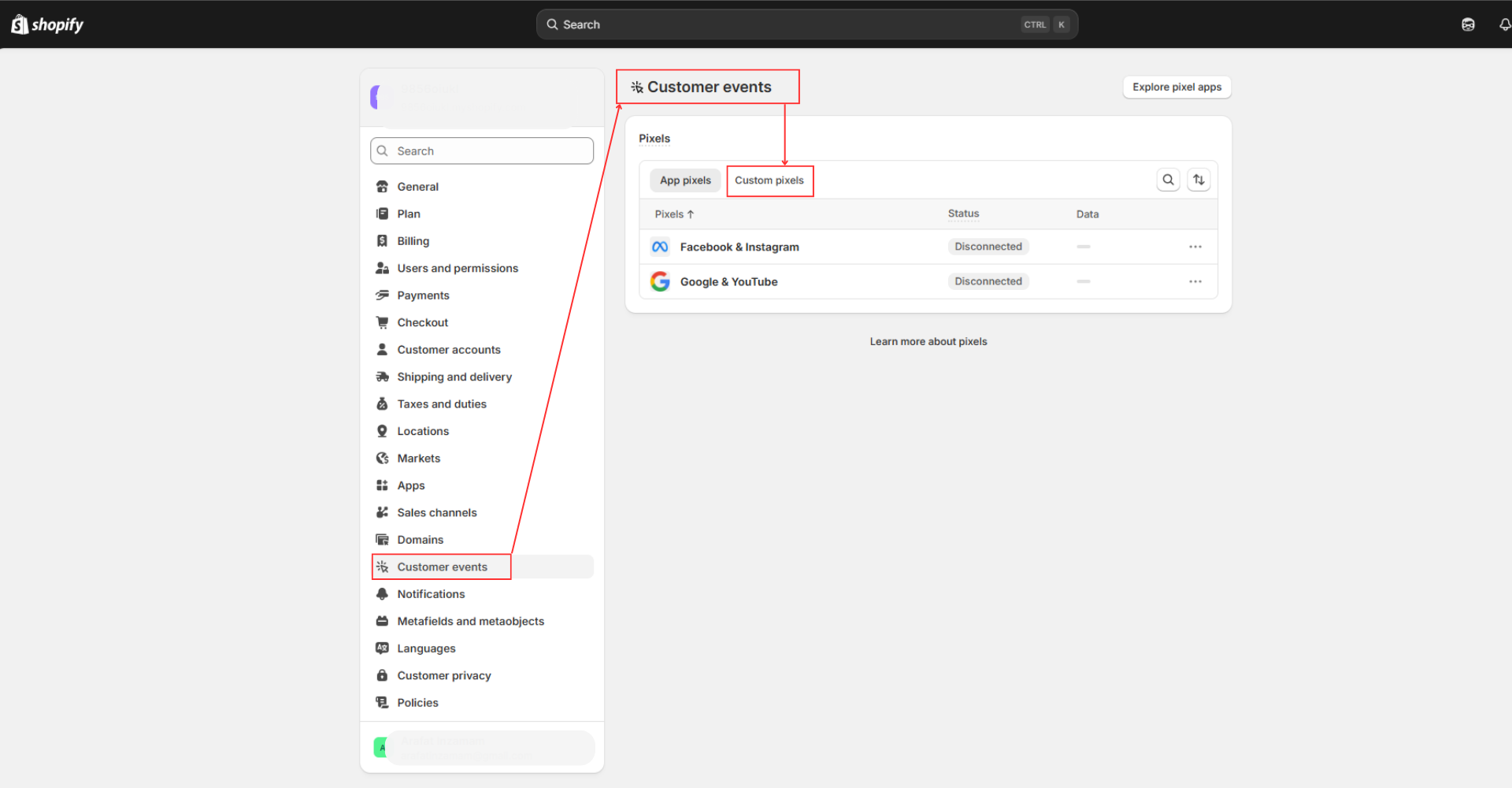
After the Shopify Checkout Extensibility update, the checkout.liquid file was removed from the theme, and the ‘Additional Scripts’ section previously used to add custom tracking codes on the order status page was deprecated. Shopify now recommends using the new Customer Events and Web Pixels framework to implement tracking.
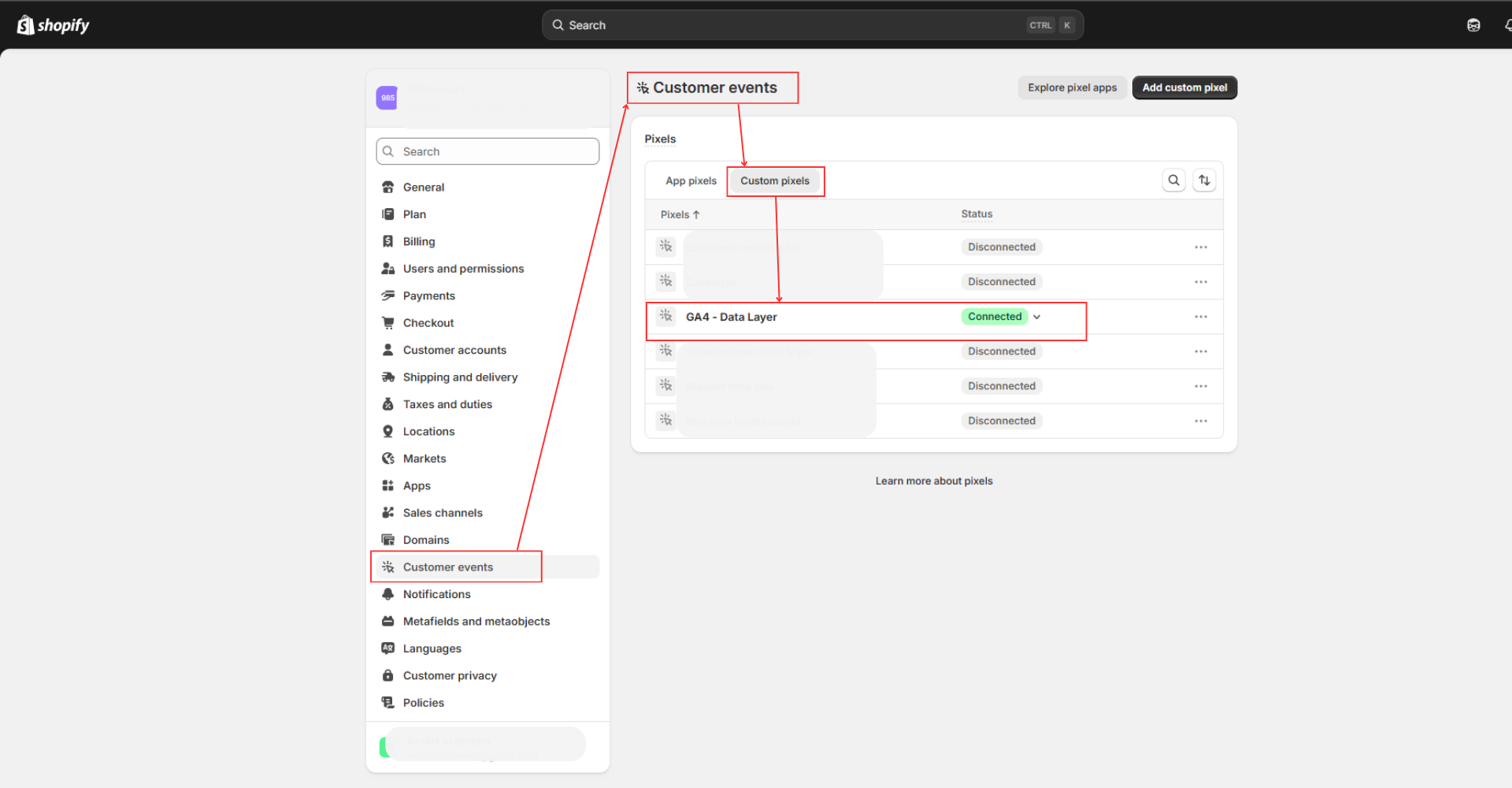
As a result, the Customer Events system was used to enable the data layer, connect with Google Tag Manager and other tracking platforms, and ensure that key events such as purchases and checkout interactions continue to be captured accurately in compliance with Shopify’s latest tracking standards.
Challenges:
Shopify Web Pixels used in Customer Events run inside a sandbox environment. Because of this, the GTM container cannot be directly previewed using the standard GTM preview mode.
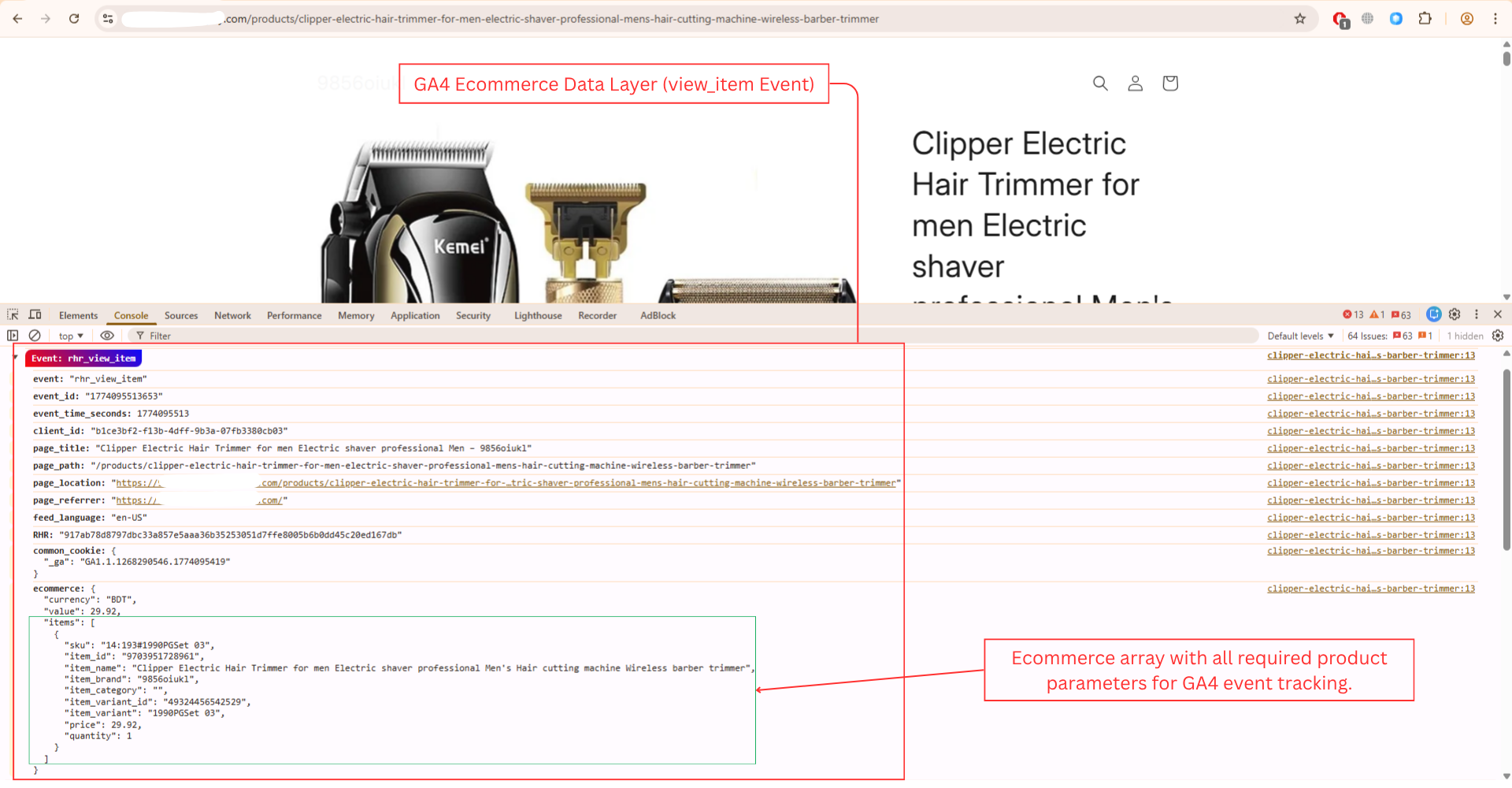
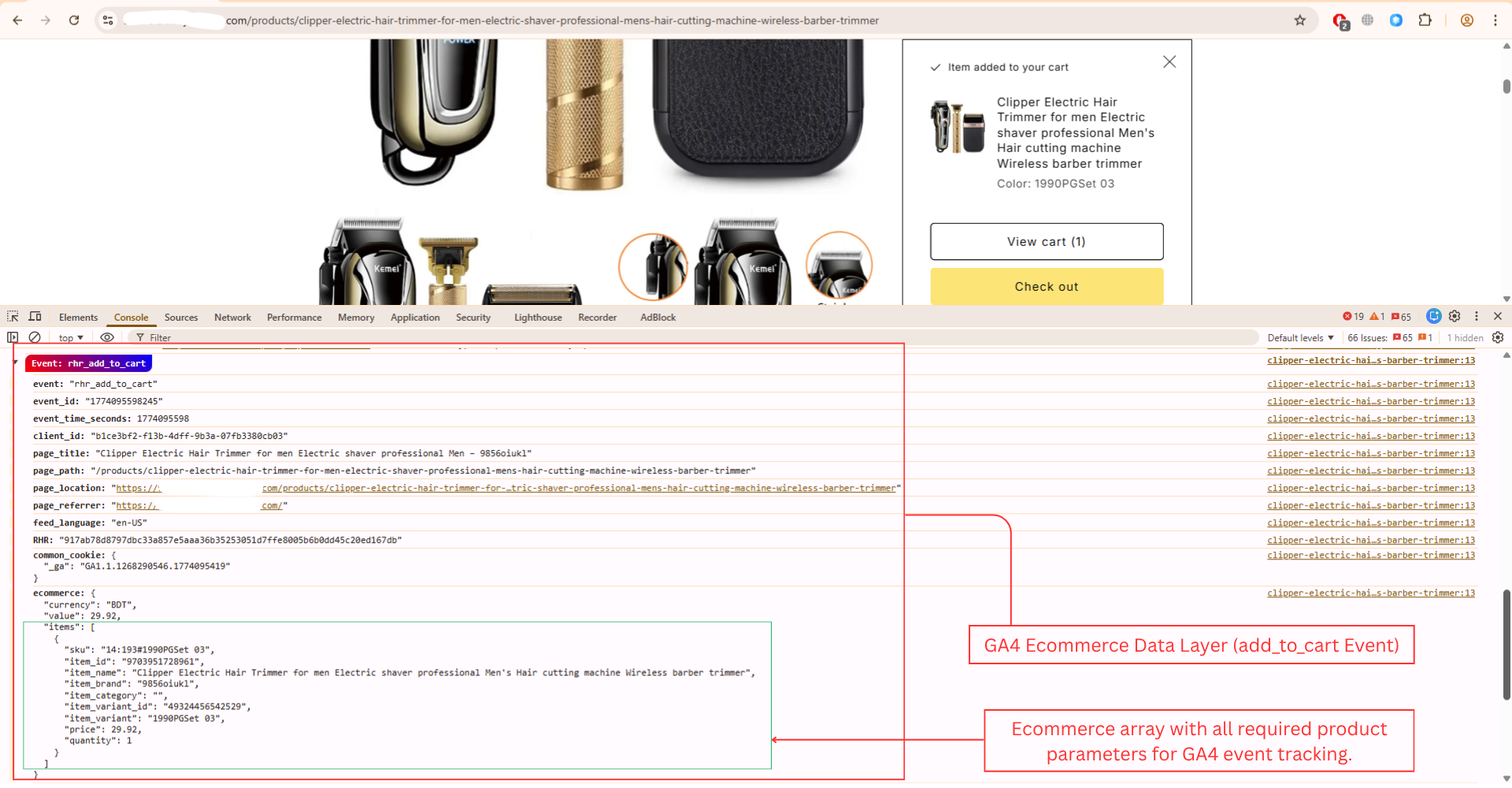
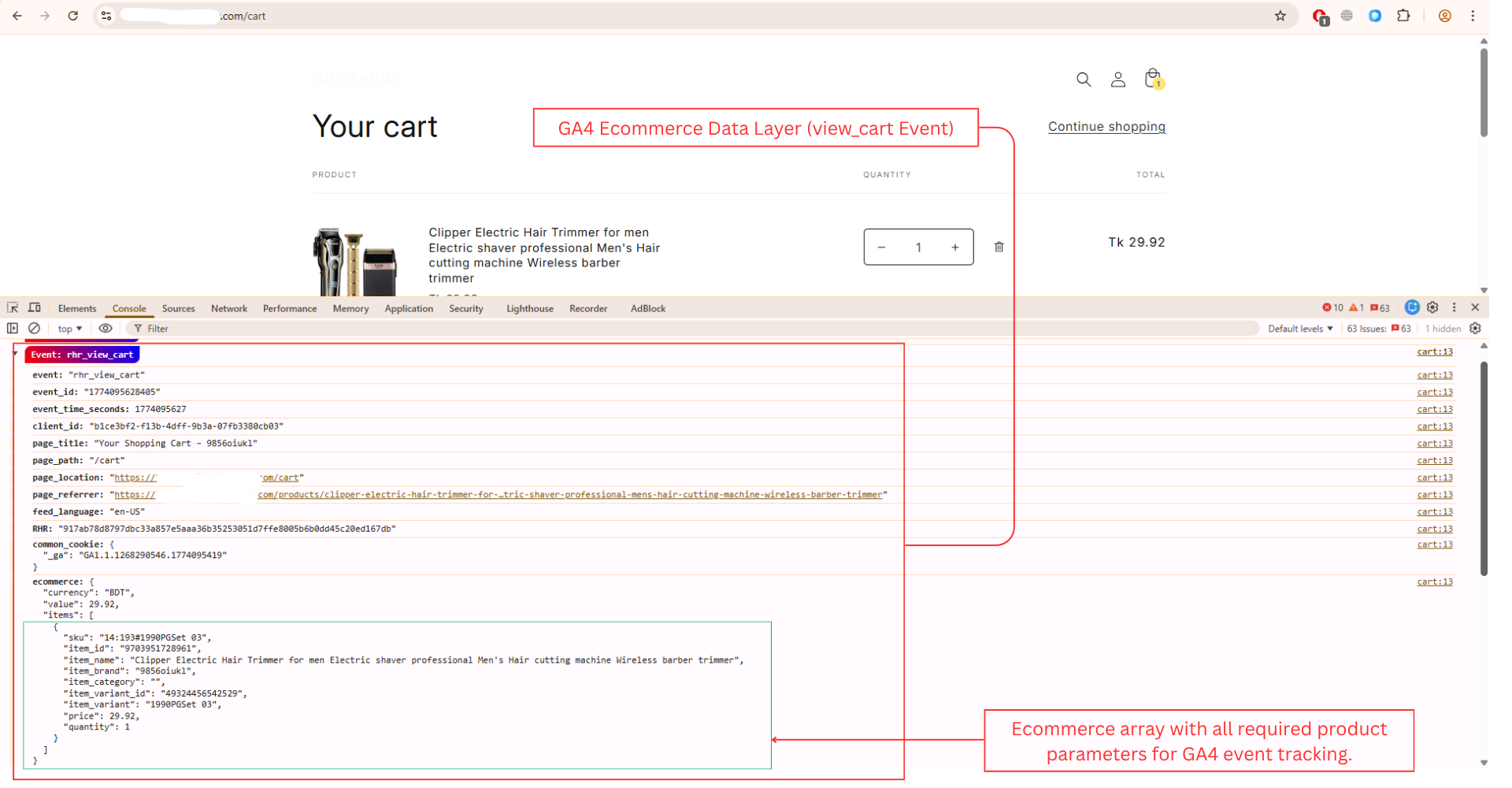
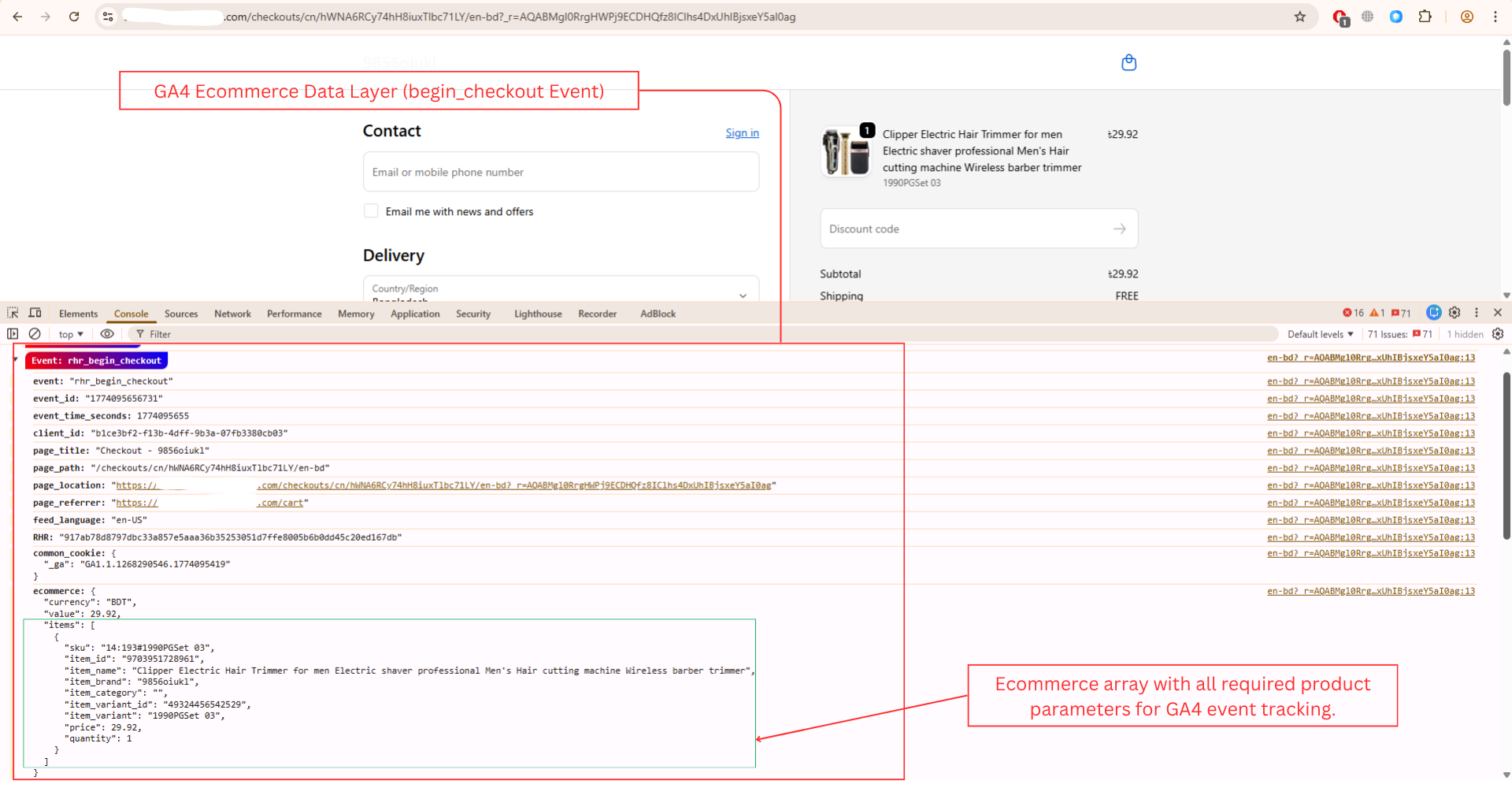
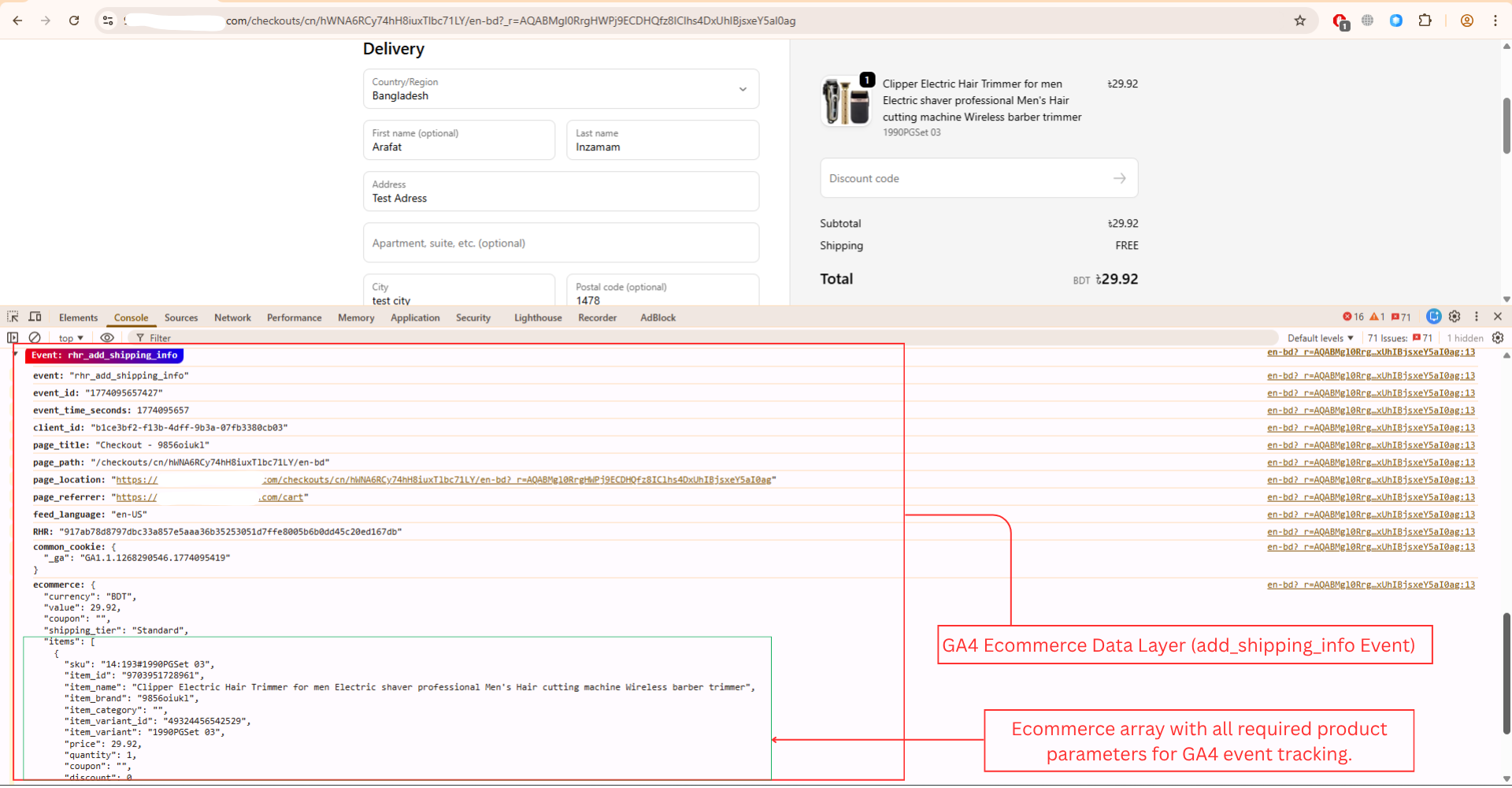
To debug the implementation, the browser’s developer console is used to inspect the JavaScript data layer and verify that events and parameters are being pushed correctly.
Some Shopify stores have the Google & YouTube Channel app installed, which also fires its own data layer events. To avoid conflicts and differentiate our tracking events, we added a custom prefix to all implemented events to keep our tracking unique and conflict-free.
IMPLEMENTATION PROCESS
Shopify has deprecated the ‘Additional Scripts’ section that was formerly used to insert custom tracking codes on the order status page
Shopify recommends using the new Customer Events framework for implementing tracking and custom scripts.
Data layer and GTM script connected to capture every Shopify eCommerce event reliably.
view_item event fires correctly and is visible in the browser console with product data – value, currency, and item array when a product is viewed.
add_to_cart event captures product data – value, currency, and item array when a product is added to the cart.
view_cart event fires when users open the cart and includes full cart item details.
begin_checkout event is visible in the browser console with all required eCommerce parameters, including value, currency, and item arrays.
add_shipping_info event is triggered when shipping details are added during checkout.
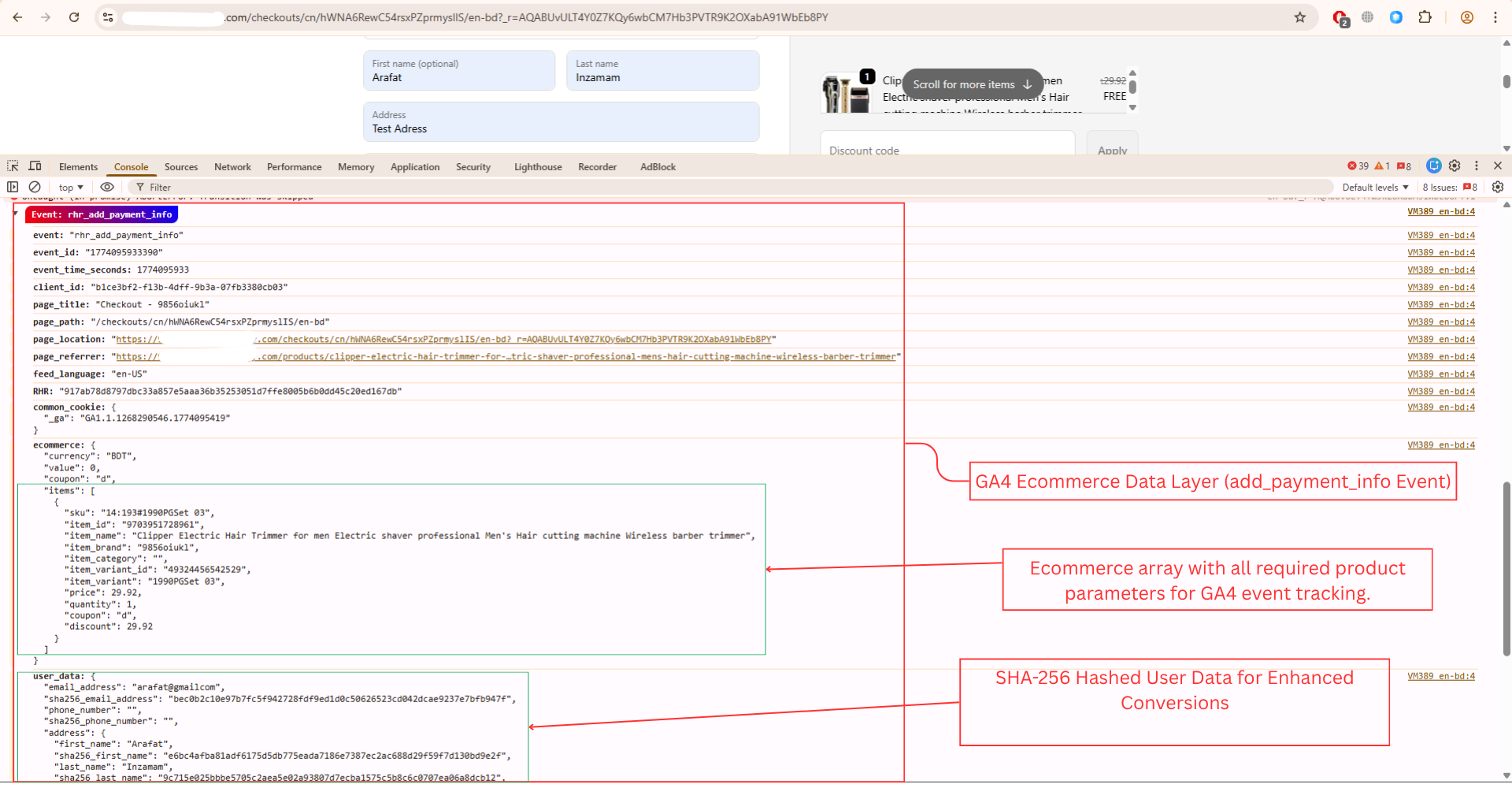
add_payment_info event captures payment step interactions during checkout.
User data from the checkout process is also captured for the add_payment_info.
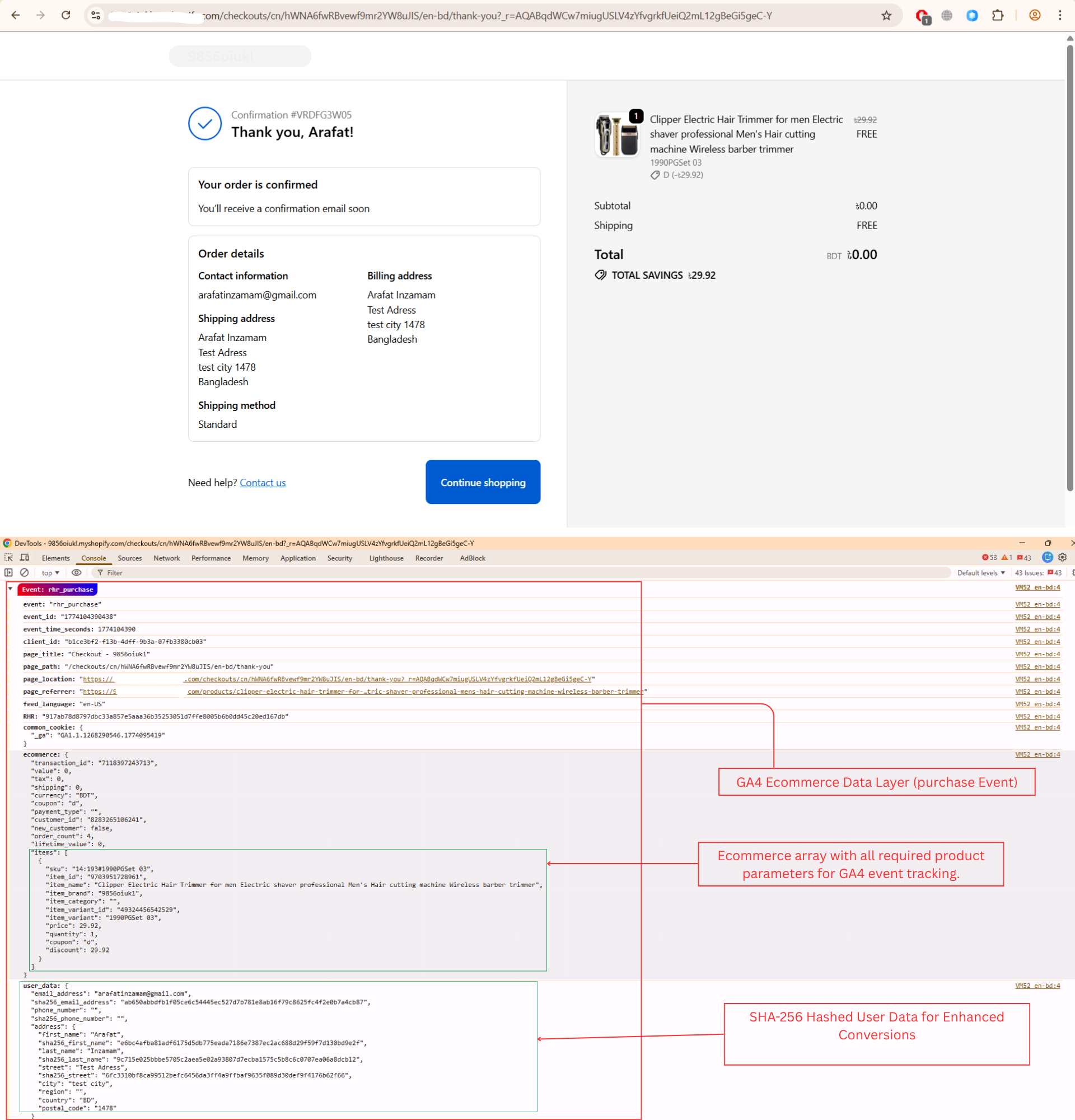
purchase event fires on order completion and includes transaction id, value, currency, full item array.
User data collected during the checkout process is also captured for the purchase event